Why Pond Water Turns Cloudy After Cleaning — And How to Fix It
Kelly CookeWhy Pond Water Turns Cloudy After Cleaning — And How to Fix It
You just spent your Saturday cleaning the pond. You scrubbed the filters, vacuumed the bottom, maybe even did a hefty water change. Everything looked pristine for a few hours. Then, almost on cue, the water turned into a milky, opaque mess that looks worse than before you started. It is one of the most frustrating experiences in pond keeping — and one of the most common. The good news is that cloudy water after cleaning is not a mystery. It is a predictable biological response, and once you understand what is happening beneath the surface, the fix becomes straightforward.
What Is Actually Happening When Your Pond Goes Cloudy
To understand why pond water turns cloudy after cleaning, you need to understand what you removed during that cleaning session — and it was not just dirt. Every surface in your pond hosts colonies of beneficial bacteria. These microscopic organisms are the backbone of your pond's nitrogen cycle, converting toxic ammonia from fish waste into nitrite and then into relatively harmless nitrate. They colonize filter media, rocks, liner walls, even the thin biofilm on the bottom of the pond.
When you scrub surfaces, replace filter media, or drain and refill large volumes of water, you strip away a significant portion of these bacterial colonies. The pond's biological filtration capacity drops — sometimes dramatically. What follows is a cascade of events that manifests as that dreaded cloudy water.
The Bacterial Bloom Explained
The milky white or grayish haze that appears after cleaning is almost always a bacterial bloom. Here is what happens step by step:
- Bacterial colonies are disrupted. Cleaning removes established nitrifying bacteria from surfaces and filter media.
- Ammonia levels begin to rise. Fish continue producing waste, but fewer bacteria are available to process it.
- Free-floating bacteria multiply rapidly. Opportunistic heterotrophic bacteria — different from the nitrifying bacteria you need — feed on the dissolved organics and multiply in the water column.
- The water turns cloudy. Billions of these free-floating bacterial cells suspended in the water create the milky appearance.
This is fundamentally different from green water, which is caused by a single-celled algae bloom. Bacterial blooms appear white, gray, or milky. Algae blooms are distinctly green. The distinction matters because the treatment approach is entirely different.
Cloudy Water: Three Different Causes, Three Different Looks
Not all cloudy water is the same. Before you reach for a solution, identify what you are actually dealing with.
Bacterial Bloom (Milky White or Gray)
This is the most common culprit after cleaning. The water has a uniform haze — almost like someone poured a small amount of milk into the pond. It tends to appear 24 to 72 hours after the cleaning event. Bacterial blooms are a biological response and will resolve on their own given time, though you can accelerate recovery significantly by re-seeding the pond with beneficial bacteria.
Algae Bloom (Green)
If the water is green rather than white, you are dealing with suspended algae, not a bacterial bloom. This can also follow cleaning if you disrupted the nutrient balance — removing bacteria that competed with algae for resources effectively gives algae free rein. Green water requires a different approach, often involving UV clarification and nutrient management.
Suspended Sediment (Brown or Tan)
If the cloudiness appeared immediately during or right after cleaning and has a brownish or tan tint, you likely stirred up sediment from the bottom. This is mechanical, not biological. It usually settles within 24 to 48 hours on its own, or faster if you have adequate mechanical filtration running. No biological intervention is needed — just patience and a working pump.
The Biofilter Crash: Why This Is More Serious Than It Looks
The cloudy water itself is mostly an aesthetic problem. The underlying cause, however, is a genuine threat to your fish. When you lose a significant portion of your beneficial bacteria, your pond's ability to process ammonia and nitrite drops. This is sometimes called a biofilter crash, and it can create dangerous water quality conditions even if you have been running a perfectly stable pond for years.
Ammonia and nitrite are both toxic to koi and goldfish. Ammonia burns gill tissue and suppresses immune function. Nitrite interferes with the blood's ability to carry oxygen. In a fully cycled pond, these compounds are processed quickly enough that they never reach dangerous concentrations. After a biofilter crash, they can spike to harmful levels within days.
This is precisely why the instinct to keep cleaning is so counterproductive. Every additional cleaning session removes more bacteria and deepens the crash.
The Critical Mistake: Don't Keep Cleaning
When pond owners see cloudy water after cleaning, the natural impulse is to clean more — drain some water, scrub the filters again, add a clarifier. This is the worst possible response. Each additional intervention removes more of the bacteria that are trying to re-establish themselves. You end up in a destructive cycle: clean, bloom, clean again, worse bloom, clean again.
Stop cleaning. The bacterial bloom is actually a sign that your pond's biology is trying to rebalance itself. Your job now is to support that process, not fight it.
How to Fix Cloudy Water After Cleaning
The recovery protocol is straightforward, but each step matters.
Step 1: Test Your Water Immediately
Before anything else, test for ammonia and nitrite. These are the two parameters that tell you how badly the biofilter was affected. If both are at zero, the crash was minor and recovery will be quick. If either is elevated, you need to act with more urgency to protect your fish.
Step 2: Re-Seed With Beneficial Bacteria
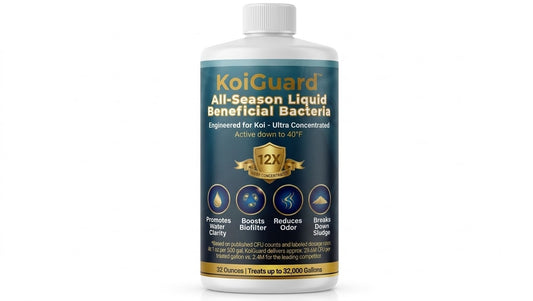
This is the single most impactful thing you can do. Adding a concentrated dose of beneficial bacteria replenishes what was lost during cleaning and jumpstarts the recovery of your nitrogen cycle. Dose at the Day 1 loading rate — for KoiGuard Pond Beneficial Bacteria, that means 8 fl oz of liquid (or 4 scoops of dry formula) per 1,000 gallons. This higher initial dose floods the system with the nitrifying organisms your pond needs to regain biological stability.
If you are unsure of your pond's volume, the KoiGuard Pond Calculator can help you determine the right amount.
Step 3: Turn Off UV Sterilization for 24 Hours
If you run a UV clarifier, shut it off for at least 24 hours after dosing bacteria. UV light is designed to kill microorganisms in the water column — it does not distinguish between harmful pathogens and the beneficial bacteria you just added. Give the new bacteria time to settle onto surfaces and begin colonizing before you turn the UV back on.
Step 4: Reduce Feeding
Less food means less ammonia production. Cut feeding to half your normal amount — or skip feeding entirely for a day or two if ammonia levels are elevated. Your fish will be fine. Koi can go days without food with no ill effects. Reducing the ammonia load gives recovering bacteria a fighting chance to keep up with demand.
Step 5: Ensure Adequate Aeration
Beneficial bacteria are aerobic — they require dissolved oxygen to function. Make sure your aeration system is running at full capacity. If you have an air pump with a diffuser, now is a good time to verify it is working properly. Good oxygen levels support faster bacterial colonization and help buffer the stress on your fish during the recovery period.
Step 6: Monitor and Re-Dose Weekly
Continue testing ammonia and nitrite every day or two until both consistently read zero. Follow up the initial loading dose with weekly maintenance doses — 4 fl oz of liquid or 2 scoops of dry formula per 1,000 gallons — until the cycle is fully re-established. If ammonia or nitrite spikes above 0.5 ppm, perform a 10-20% water change to dilute concentrations, then dose bacteria again.
How Long Does Recovery Take?
In most cases, you can expect the cloudy water to begin clearing within 5 to 14 days. The timeline depends on several factors:
- Water temperature. Bacteria reproduce faster in warmer water. Recovery at 75°F is noticeably quicker than at 55°F. Beneficial bacteria are most active in the 50-90°F range.
- Severity of the disruption. A light filter rinse might cause a minor, short-lived bloom. Draining the pond and scrubbing everything can take two weeks or more to fully recover.
- Whether you re-seed bacteria. Ponds that receive a concentrated bacterial dose recover significantly faster than those left to rebuild naturally.
- Fish load. A heavily stocked pond generates more ammonia, putting more pressure on recovering bacteria. A lightly stocked pond may recover almost silently.
Most pond owners report visible improvement within 3 to 5 days of re-seeding, with full clarity returning by day 10 to 14.
Prevention: How to Clean Without Crashing Your Pond
The best approach to cloudy water after cleaning is to prevent it from happening in the first place. These practices preserve your biological filtration while still keeping the pond clean.
Only Do Partial Water Changes
Never drain your pond completely unless there is an emergency requiring it. Limit water changes to 10-20% at a time. This preserves the majority of your established bacterial colonies and maintains stable water chemistry. If you need to change more water — after a medication course, for example — do it in stages over several days.
Never Replace All Filter Media at Once
Your filter media is where the densest concentrations of beneficial bacteria live. If you have multiple stages or compartments of biomedia, clean or replace only one at a time, waiting at least two weeks before touching the next one. This ensures there is always an established bacterial population to maintain the nitrogen cycle while the cleaned section recolonizes.
Rinse Media in Pond Water, Not Tap Water
When you do clean filter media, rinse it in a bucket of pond water — not under the garden hose. Tap water contains chlorine or chloramine, both of which kill bacteria on contact. A gentle rinse in pond water removes excess debris while leaving the bacterial biofilm largely intact.
Dose Bacteria After Every Cleaning
Make it a standard practice to add beneficial bacteria after any cleaning event — filter maintenance, water changes, vacuuming, or any activity that disturbs biofilm surfaces. Think of it as replenishing what was inevitably removed. A weekly maintenance dose of KoiGuard Pond Beneficial Bacteria (4 fl oz liquid or 2 scoops dry per 1,000 gallons) after routine cleaning is a simple habit that prevents most post-cleaning water quality issues before they start.
Clean on a Schedule, Not All at Once
Spread your maintenance tasks across different days or weeks. Clean the skimmer one weekend. Rinse a filter pad the next. Vacuum one section of the bottom the week after. This staggered approach means your pond never takes a massive biological hit all at once.
When to Worry — And When Not To
A bacterial bloom after cleaning, while unsightly, is generally a self-limiting event. In a pond with functioning filtration and reasonable fish loads, it resolves on its own even without intervention — though re-seeding bacteria speeds things up considerably.
You should be concerned if:
- Ammonia or nitrite tests above 1.0 ppm. At these levels, your fish are under physiological stress. Perform an immediate partial water change and dose bacteria.
- Fish are gasping at the surface or sitting on the bottom. These are signs of acute stress from water quality deterioration. Test water and take corrective action immediately.
- Cloudiness persists beyond 14 days with no improvement. This may indicate a problem beyond a simple bacterial bloom — possibly a persistent nutrient imbalance or insufficient filtration capacity for your fish load.
- A foul smell accompanies the cloudiness. Healthy bacterial blooms do not smell. A rotten egg or sewage odor suggests anaerobic conditions, which require more aggressive intervention.
For more details on how biological filtration works and why it matters, visit the KoiGuard Science page.
The Bottom Line
Cloudy water after cleaning your pond is not a sign that something went wrong with your cleaning — it is a sign that you removed beneficial bacteria along with the debris. The milky haze is a bacterial bloom, and it is your pond's biology trying to recalibrate. The fix is to stop cleaning, re-seed with concentrated beneficial bacteria at the Day 1 loading rate, turn off UV for 24 hours, reduce feeding, and monitor water parameters daily. Most ponds clear within 5 to 14 days. Going forward, adopt partial water changes, staggered filter maintenance, and routine bacterial dosing after every cleaning event. Your pond will stay clear, your biofilter will stay intact, and your koi will thank you for it.